
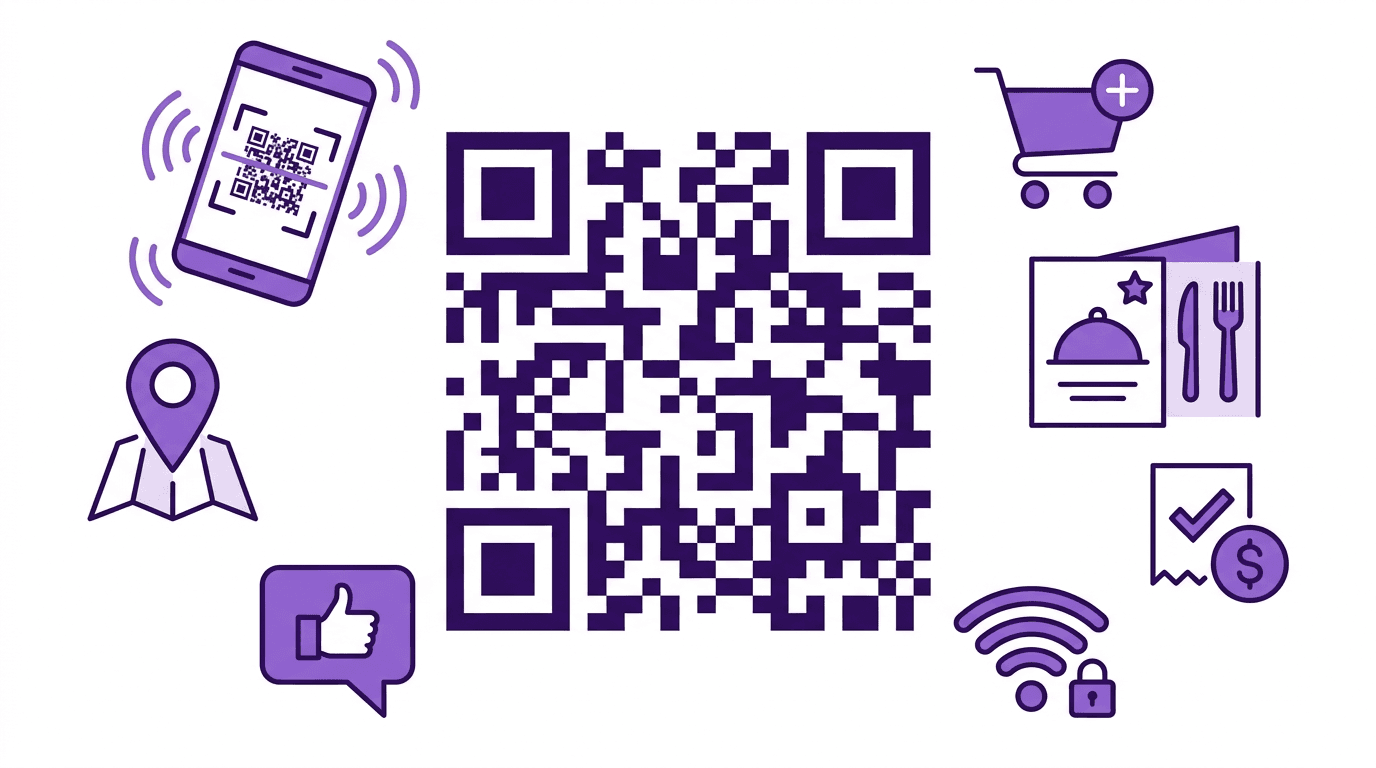
A cafe table, a business card, a product box, a bus stop ad. QR codes are everywhere, and most people scan them without a second thought. After the pandemic turned them into the default tool for contactless check-ins, QR codes exploded across industries — payments, logistics, marketing, education, and beyond. Yet surprisingly few businesses know how to use them well.
This guide covers everything from how QR codes actually work under the hood to real-world business applications, design principles that affect scan rates, security risks you should know about, and a step-by-step walkthrough for creating your own.
How QR Codes Work
QR stands for "Quick Response." The technology was invented in 1994 by Denso Wave, a Japanese company that needed a better way to track automotive parts on the factory floor. Traditional 1D barcodes could only hold a few dozen characters. QR codes can store up to 7,089 numeric characters or 4,296 alphanumeric characters — a massive leap forward.
The anatomy of a QR code has a few key components. The most obvious are the three large square patterns at the corners, called Finder Patterns. These allow a scanner to instantly locate the QR code and determine its orientation. That is why QR codes can be read from any angle — the scanner uses those corner squares to figure out which way is up.
The data area consists of a grid of black and white modules (tiny squares), where each module represents a binary 0 or 1. Reed-Solomon error correction is applied on top of this data, which means a QR code can still be read even if part of it is damaged or obscured. Error correction comes in four levels: L (7%), M (15%), Q (25%), and H (30%). Higher levels recover more damage but require more modules, making the code denser.
When your smartphone camera scans a QR code, it converts the image into a binary matrix, decodes the encoded data, and then opens the URL in your browser or displays the text. The entire process takes less than a second.
10 Business Use Cases for QR Codes
If you think QR codes are just a shortcut to open a URL, you are only seeing a fraction of what they can do. Here are ten ways businesses are putting them to work right now.
1. Contactless Menus and Ordering
Restaurants place a QR code on each table so customers can view the menu and place orders from their phones. Chains like Chili's, Denny's, and countless independent restaurants have adopted this model. It reduces the need for printed menus, cuts labor costs, and improves order accuracy since customers enter their own selections.
2. Product Authentication
Counterfeit goods are a serious problem in cosmetics, luxury fashion, and supplements. Brands like L'Oreal and various pharmaceutical companies assign unique QR codes to individual products. Customers scan to verify authenticity before purchasing. Each code links to a database entry that confirms the product is genuine.
3. Mobile Payments
Payment platforms like PayPal, Venmo, Square, and numerous regional services support QR-based payments. For small businesses, this is a game-changer. A printed QR code on the counter replaces expensive payment terminals. No hardware investment, no monthly terminal fees — just a piece of paper and a payment link.
4. Digital Business Cards (vCard QR)
Instead of handing out paper cards that get lost in desk drawers, professionals now use QR codes that encode contact information in vCard format. One scan and the recipient's phone automatically saves the name, phone number, email, company, and job title. These are increasingly common at networking events and conferences.
5. Bridging Offline Ads to Online
Subway ads, flyers, posters, billboards — any physical advertisement can include a QR code that drives traffic to a landing page. E-commerce companies like Amazon and fashion retailers regularly use this approach. The key advantage is measurability. Unlike a billboard phone number, you can track exactly how many people scanned the QR code, when, and where.
6. Event Ticketing and Access Control
Concerts, conferences, trade shows, and sporting events use QR code tickets for faster entry and fraud prevention. Platforms like Eventbrite and Ticketmaster generate unique QR codes for each ticket. They are harder to counterfeit than paper tickets and can be scanned in under a second, reducing long lines at venue entrances.
7. Logistics and Inventory Management
Shipping labels, warehouse inventory tracking, and supply chain management all benefit from QR codes. Unlike traditional barcodes, QR codes can store detailed shipment information — origin, destination, contents, handling instructions — in a single scan. FedEx, UPS, and DHL all use QR-based tracking systems in their logistics workflows.
8. Education and Learning Materials
Textbooks and workbooks embed QR codes that link to video lectures, supplementary materials, interactive quizzes, or 3D models. Publishers like Pearson and McGraw-Hill have integrated QR codes into their educational content. Students scan a code on the page and immediately access a related video explanation.
9. Customer Review Collection
Restaurants, hotels, clinics, and service businesses place QR codes at checkout or on receipts. One scan takes the customer directly to a Google Reviews or Yelp page. This removes friction from the review process and significantly increases the rate at which customers leave feedback. A dentist's office in Austin reported a 3x increase in Google reviews after adding QR codes to their appointment reminder cards.
10. Wi-Fi Auto-Connect
Instead of printing the Wi-Fi password on a card or having staff recite it repeatedly, businesses encode the SSID and password into a QR code. Guests scan it and connect automatically — no typing required. Hotels, cafes, coworking spaces, and Airbnb hosts use this extensively.
QR Code Design Principles That Actually Matter
Creating a QR code is the easy part. Getting people to actually scan it is where design comes in. A few principles make a measurable difference in scan rates.
Size matters more than you think. The minimum recommended QR code size is 2cm x 2cm, but that only works when someone holds their phone within arm's length. The rule of thumb is a 10:1 distance-to-size ratio. If you expect someone to scan from 1 meter away, the QR code needs to be at least 10cm across. A QR code on a billboard 10 meters away? That needs to be a full meter wide.
Maintain high contrast. QR code scanners rely on the contrast between dark modules and the light background. The safest combination is black on white. You can use other colors, but the foreground must always be significantly darker than the background. A dark blue QR code on a light gray background works fine. A yellow QR code on a white background will fail.
Respect the quiet zone. Every QR code needs a margin of blank space around it — at least four modules wide. This "quiet zone" helps the scanner distinguish the QR code from surrounding graphics and text. Encroaching on this margin is the single most common design mistake, and it tanks readability.
Add a clear call to action. A QR code sitting alone with no context gets ignored. People need a reason to pull out their phones. "Scan for menu," "Get 20% off," "Connect to Wi-Fi," or "Watch the demo video" — specific, benefit-driven CTAs outperform generic "Scan me" labels every time.
Be careful with logo overlays. Placing a brand logo in the center of a QR code looks professional, but it only works reliably when the error correction level is set to H (30%). The logo covers data modules, and without sufficient error correction, the code becomes unscannable. Always test on multiple devices — both iOS and Android — after adding a logo.
Static vs Dynamic QR Codes — Differences and When to Use Each
Before you create a QR code, you need to decide between static and dynamic. The distinction is fundamental and affects cost, flexibility, and analytics.
| Feature | Static QR Code | Dynamic QR Code |
|---|---|---|
| Data storage | Encoded directly in the QR pattern | Short redirect URL encoded; destination managed on a server |
| Can you change the destination? | No — you must generate a new code | Yes — update the destination URL anytime on the server |
| Scan analytics | Not available | Full tracking: scan count, location, time, device type |
| Code complexity | Grows with data length | Always simple (short URL) |
| Cost | Free | Usually requires a paid subscription |
| Internet dependency | Offline data (Wi-Fi, vCard) works without internet | Always requires internet to resolve the redirect |
| Best for | Wi-Fi credentials, vCard contacts, fixed URLs, text | Marketing campaigns, A/B testing, printed materials |
When static works best. If the destination will never change, go static. Product manual links, contact information on business cards, Wi-Fi access codes — these are all set-and-forget scenarios. Static QR codes are free to create, have no server dependency, and will work indefinitely as long as the physical code remains intact.
When dynamic is worth the cost. Marketing campaigns are the classic use case. Imagine you have printed 10,000 flyers with a QR code linking to a promotion page. The promotion ends and you want to redirect that traffic to a new page. With a dynamic QR code, you change the destination on the server. With a static code, you reprint 10,000 flyers.
For personal projects or small-scale needs, static QR codes cover the vast majority of use cases. The QR Code Generator lets you create static QR codes for URLs, plain text, Wi-Fi credentials, and more — no sign-up needed, completely free.
QR Code Security: What to Watch Out For
QR codes are convenient, but they have one inherent vulnerability: you cannot see where they lead before scanning. The destination URL is encoded in a pattern that is unreadable to the human eye. Attackers exploit this through a technique called "quishing" — QR phishing.
Real-world quishing attacks. In 2023 and 2024, multiple cities across the United States reported fake QR code stickers placed over legitimate ones on public parking meters. Unsuspecting drivers scanned them and entered their payment details on fraudulent websites. Similar attacks have been reported on shared bike-rental QR codes in European cities, where criminals placed stickers over the genuine codes to redirect users to phishing pages.
If you are scanning QR codes:
- Always check the URL that appears before tapping through. If the domain looks unfamiliar or suspicious, do not proceed.
- Inspect QR codes in public places for signs of tampering — stickers layered on top of existing codes are a red flag.
- Be especially cautious if a QR code asks you to enter personal information, login credentials, or install an app.
- Use your phone's built-in camera app rather than a third-party QR scanner. Some third-party apps request unnecessary permissions or inject ads.
If you are distributing QR codes:
- Always use HTTPS URLs. HTTP connections are vulnerable to man-in-the-middle attacks.
- Use your own branded domain or a trusted URL shortener. A recognizable domain builds trust when users see the URL preview.
- Periodically inspect physical QR codes you have deployed to make sure they have not been tampered with or covered by malicious stickers.
- If you use a dynamic QR service, vet the provider's security practices and uptime guarantees. Your QR codes are only as reliable as their server.
How to Create a QR Code (Step-by-Step)
Making a QR code takes less than a minute. You do not need to install software or create an account. The QR Code Generator runs entirely in your browser.
Step 1: Choose the data type. Decide what kind of information you want to encode. A URL is the most common choice, but you can also encode plain text, email addresses, phone numbers, or Wi-Fi network credentials.
Step 2: Enter the content.
Type or paste the data into the input field. If it is a URL, include the full address with https://. A single typo in the URL will render the QR code useless, so double-check your input.
Step 3: Set the error correction level. For most uses, M (15%) is the right balance between data density and resilience. If you plan to add a logo overlay, or if the QR code will be placed in an environment where physical damage is likely (outdoors, on packaging that gets handled roughly), bump it up to H (30%).
Step 4: Generate and download. Hit the generate button and your QR code appears instantly. Download it as a PNG file. If you need it for print, make sure you are downloading at a resolution appropriate for the print size — low-resolution images will look pixelated when scaled up.
Step 5: Test before deployment. This step is non-negotiable. Scan the QR code with at least two or three different smartphones. Test on both iPhone and Android. If you plan to print the QR code, print a sample at the actual intended size and scan the printout. Screen scanning and print scanning can behave differently.
Step 6: Deploy and monitor. After placing your QR codes in the field, check them periodically. Make sure the linked URL has not expired, changed, or broken. If you placed physical QR codes in a public location, verify they have not been tampered with.
FAQ
How much data can a QR code hold?
The theoretical maximum is 7,089 numeric characters, 4,296 alphanumeric characters, or 2,953 bytes of binary data. In practice, you should aim to keep encoded content under 300 characters. Longer data produces denser QR codes with more modules, which makes them harder to scan — especially when printed small or scanned from a distance. For long URLs, use a URL shortener before encoding.
Do QR codes expire?
Static QR codes never expire on their own. The data is physically encoded in the image, so as long as the image is intact, the code remains functional. However, if the QR code points to a URL and that URL goes dead, the code will scan but lead nowhere useful. Dynamic QR codes depend on a redirect server maintained by a service provider. If that service shuts down or your subscription lapses, the QR code stops working.
Can I create a QR code for free?
Yes. Static QR codes can be generated for free on most platforms, including Utilopia's QR Code Generator, which requires no sign-up. Dynamic QR codes typically require a paid subscription because they rely on server infrastructure for URL redirection and analytics. For personal use or small business needs, a static QR code is almost always sufficient.
Do colored or logo-embedded QR codes actually work?
They can, but there are constraints. The foreground color must be substantially darker than the background — light foreground on a dark background will cause most scanners to fail. For logo overlays, keep the logo to no more than 30% of the total QR code area and set the error correction level to H (30%) so the scanner can reconstruct the data hidden behind the logo. After any visual customization, test on multiple devices before committing to print. A QR code that looks great but does not scan is worse than a plain black-and-white one that works every time.